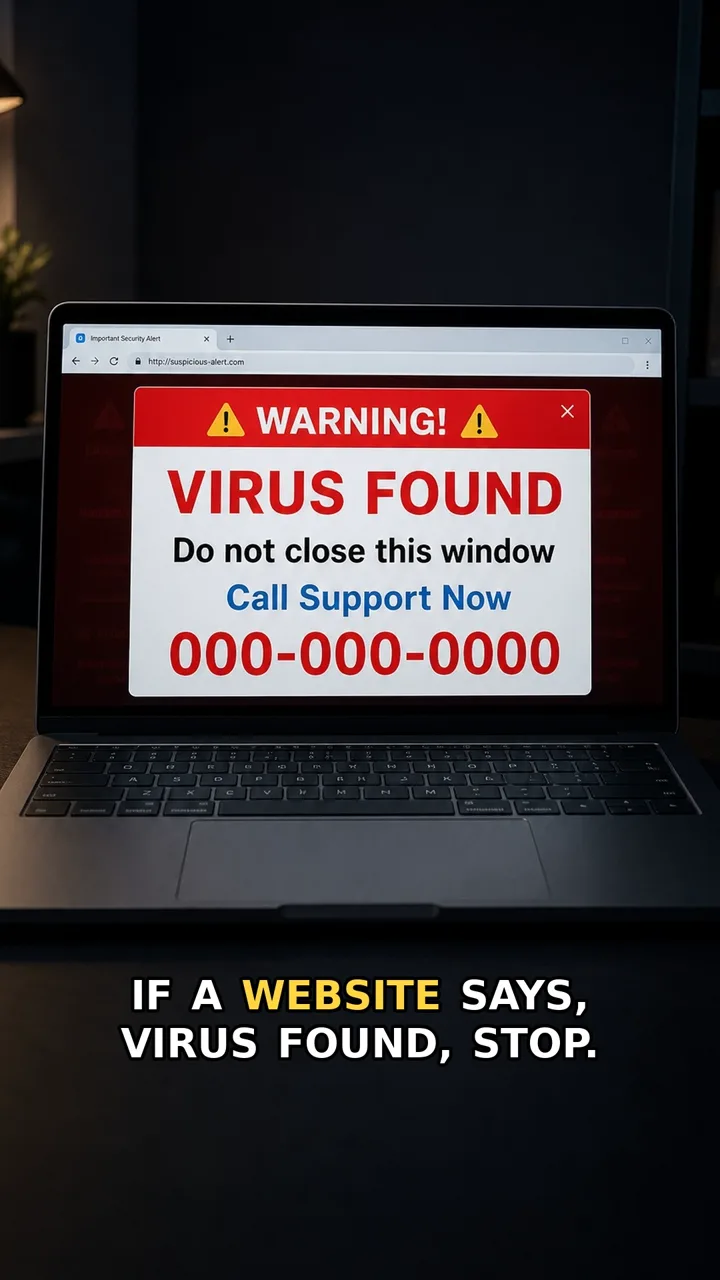
A fake support popup tries to turn a normal device problem into a panic call. It may say the device is locked, infected, or at risk, then push you to call support immediately.
The safer move is simple: do not call from the popup. Close it, then open the real app, account page, or support site yourself. If someone on the phone asks for remote access, one-time codes, or payment details, stop the call and use a trusted route instead.
Do this first
Next 5 minutes
- Close the popup and open the real app or website yourself. Do not call a support number shown by a popup.
- If you only saw the popup, close the browser tab or app and do not call the number.
- If you called the number, hang up and do not install tools, share codes, or give payment details.
- If you shared payment details or installed remote-access software, contact your bank or device support through a saved, trusted route.
Then continue with the red flag and checklist below. If you already entered details or paid, open already-clicked help.
The red flag
A popup creates panic and pushes you to call the number shown on the screen.
Why it works
The warning looks urgent, so people focus on fixing the device instead of checking whether the support contact is real.
Safer move
Close the popup and open the real app or website yourself. Do not call a support number shown by a popup.
If you already clicked
- If you only saw the popup, close the browser tab or app and do not call the number.
- If you called the number, hang up and do not install tools, share codes, or give payment details.
- If you shared payment details or installed remote-access software, contact your bank or device support through a saved, trusted route.